
Fine Art Digital Backgrounds for Painterly Portrait Photography
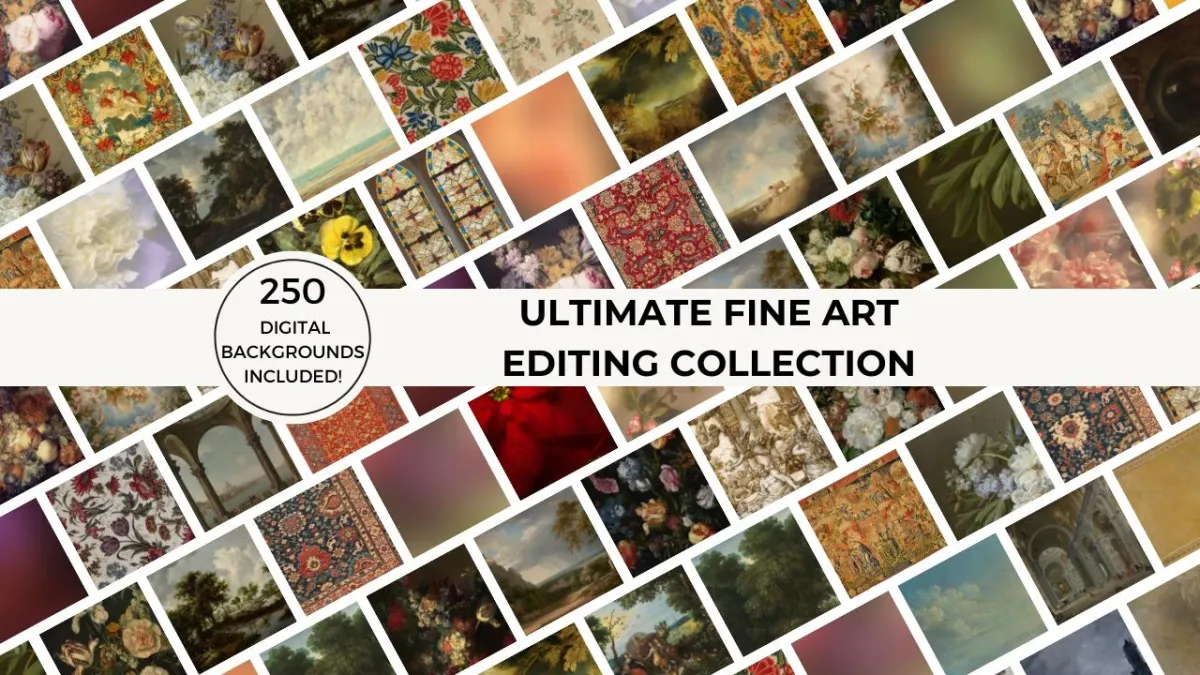
Create timeless, painterly fine art portraits using high-resolution digital backgrounds designed for Photoshop and Evoto.
The Ultimate Fine Art Editing Collection includes 250 curated digital backgrounds inspired by old master paintings, florals, and classic tapestries. Designed specifically for photographers, these backgrounds help you create gallery-worthy, fine art portraits without physical backdrops or complex compositing.
From soft painterly textures and lush florals to elegant tapestry backdrops, these digital backgrounds are versatile, easy to use, and work seamlessly with Photoshop or any other editing software that supports layers. Mix and match, adjust colors, experiment with blending modes, and layer masks to transform your portraits into unique works of art.
Why Photographers Use Fine Art Digital Backgrounds
Curated for Fine Art Portraits: Painterly, floral, and tapestry backgrounds selected to create refined, timeless imagery.
Professional Resolution: 6000px on the long edge at 300 DPI for print-ready results.
Creative Flexibility: Adjust colors, blend modes, and masks to craft a unique painterly style.
Efficient Workflow: Achieve fine art results without physical sets or location shoots.
Get started today by adding the Ultimate Fine Art Editing Collection to your creative toolkit and elevate your portraits with timeless, fine art backgrounds. You’ll receive immediate access to the collection of high-resolution digital backgrounds and the included Photoshop and Evoto tutorials, so you can start transforming your images right away.
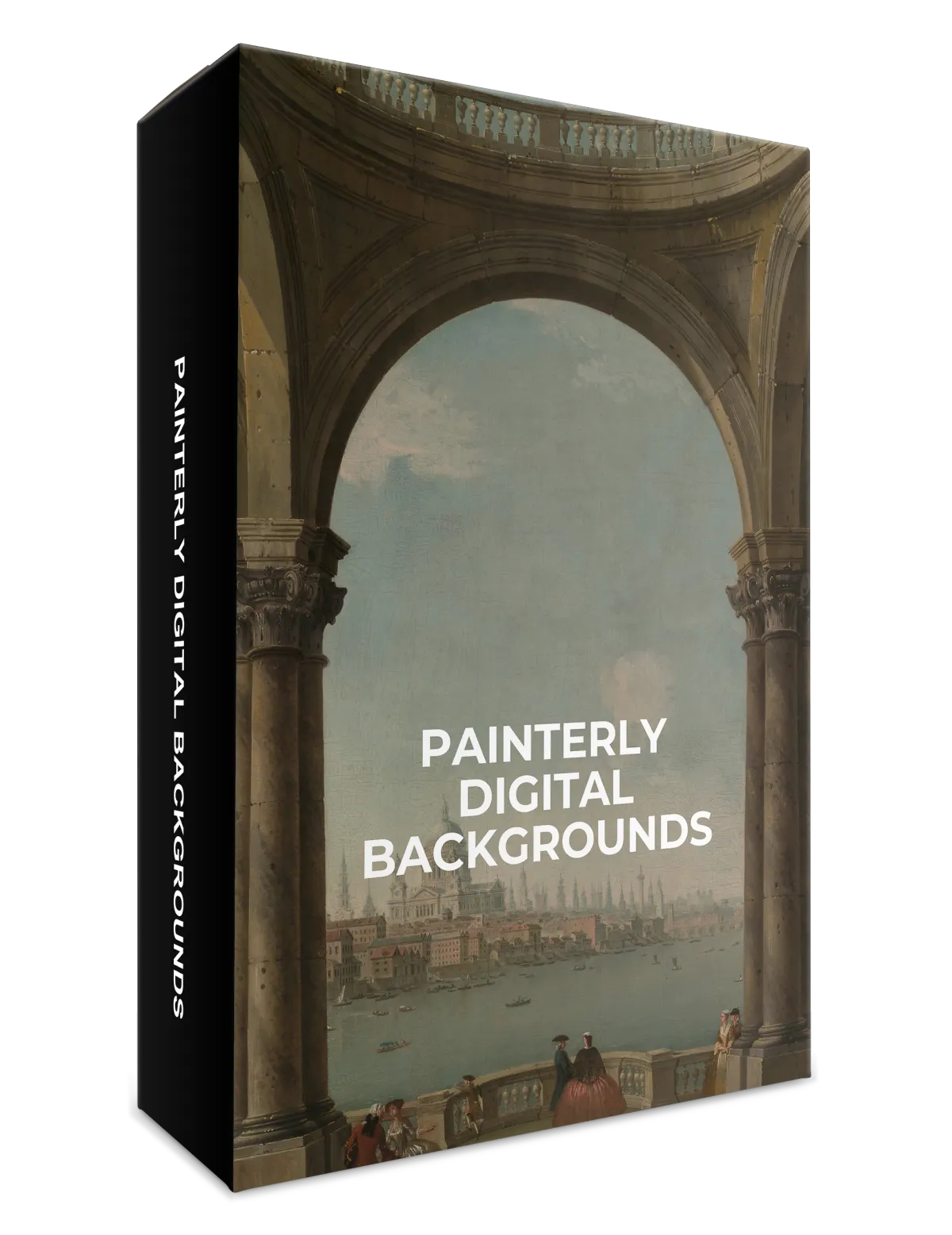
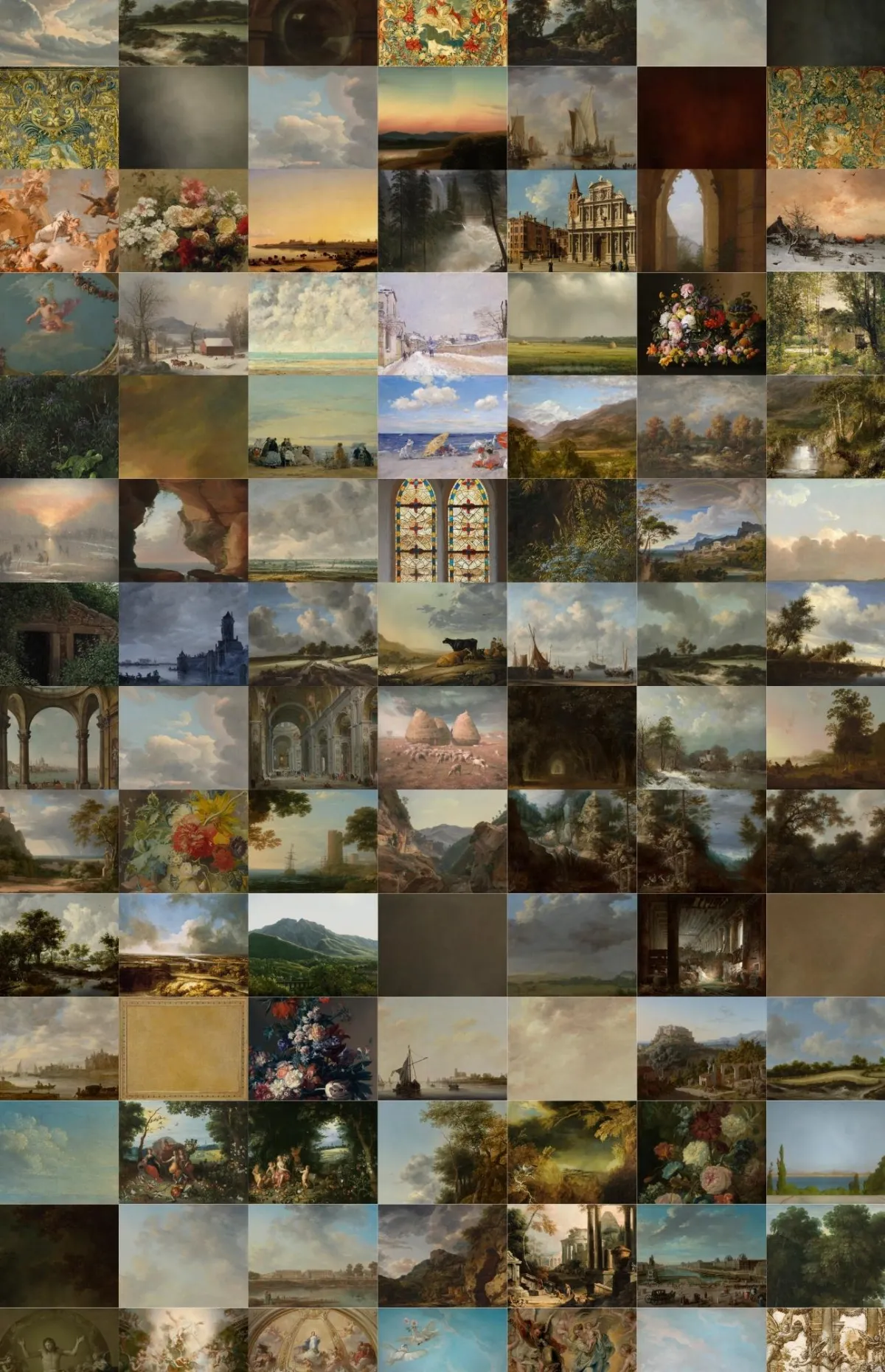
100 Old Masters Painterly Backgrounds
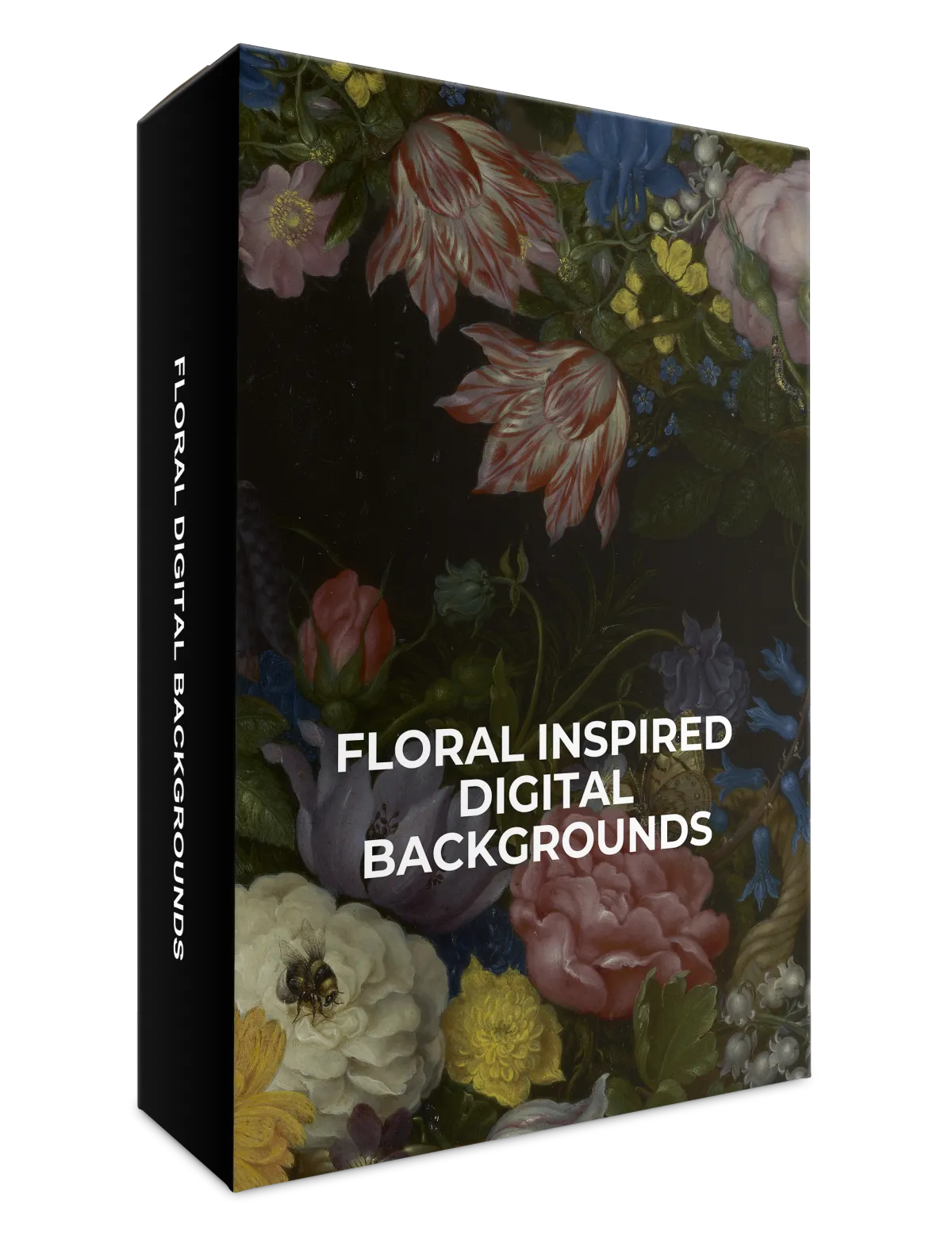
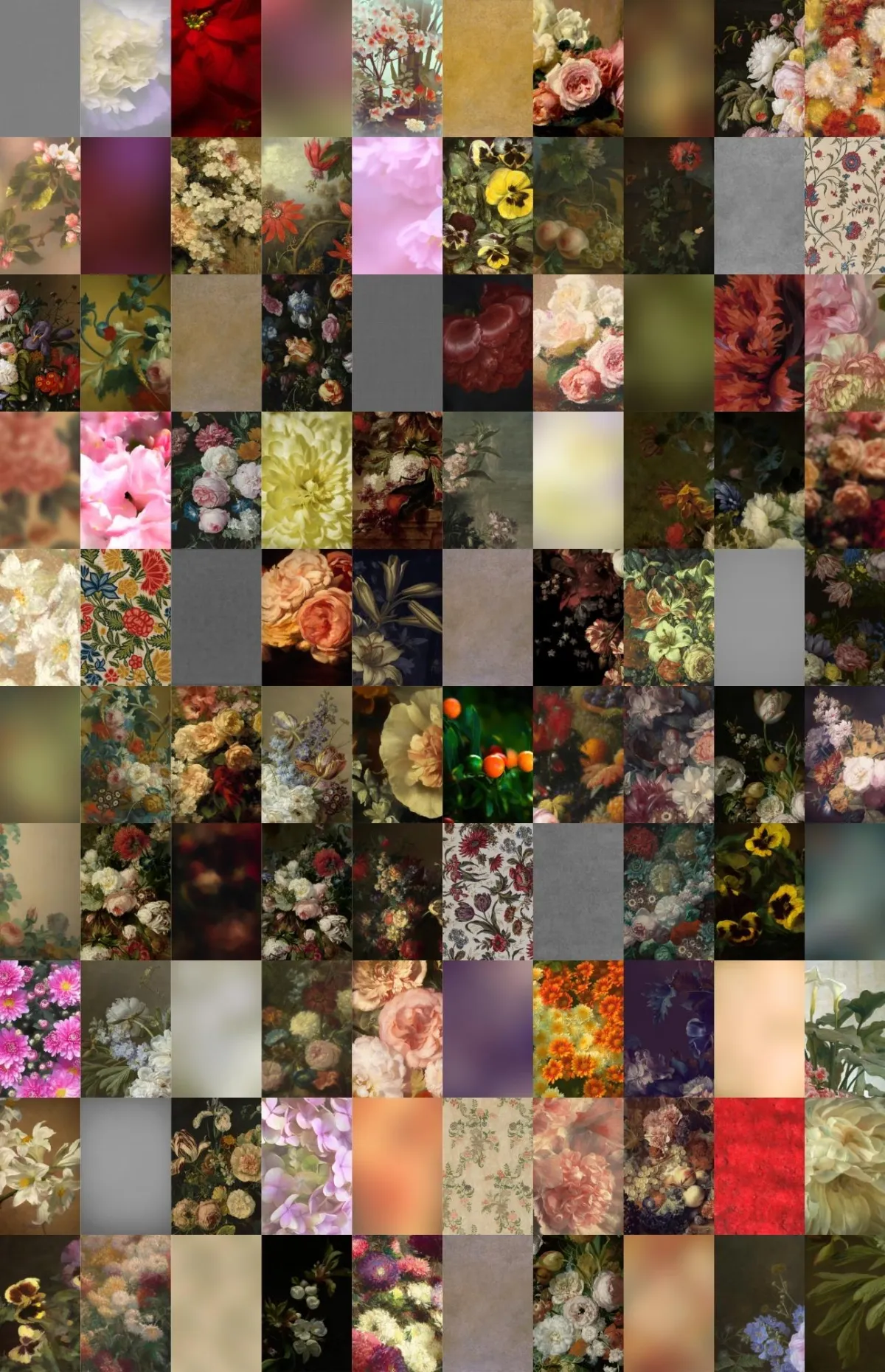
100 Floral Inspired
Backgrounds

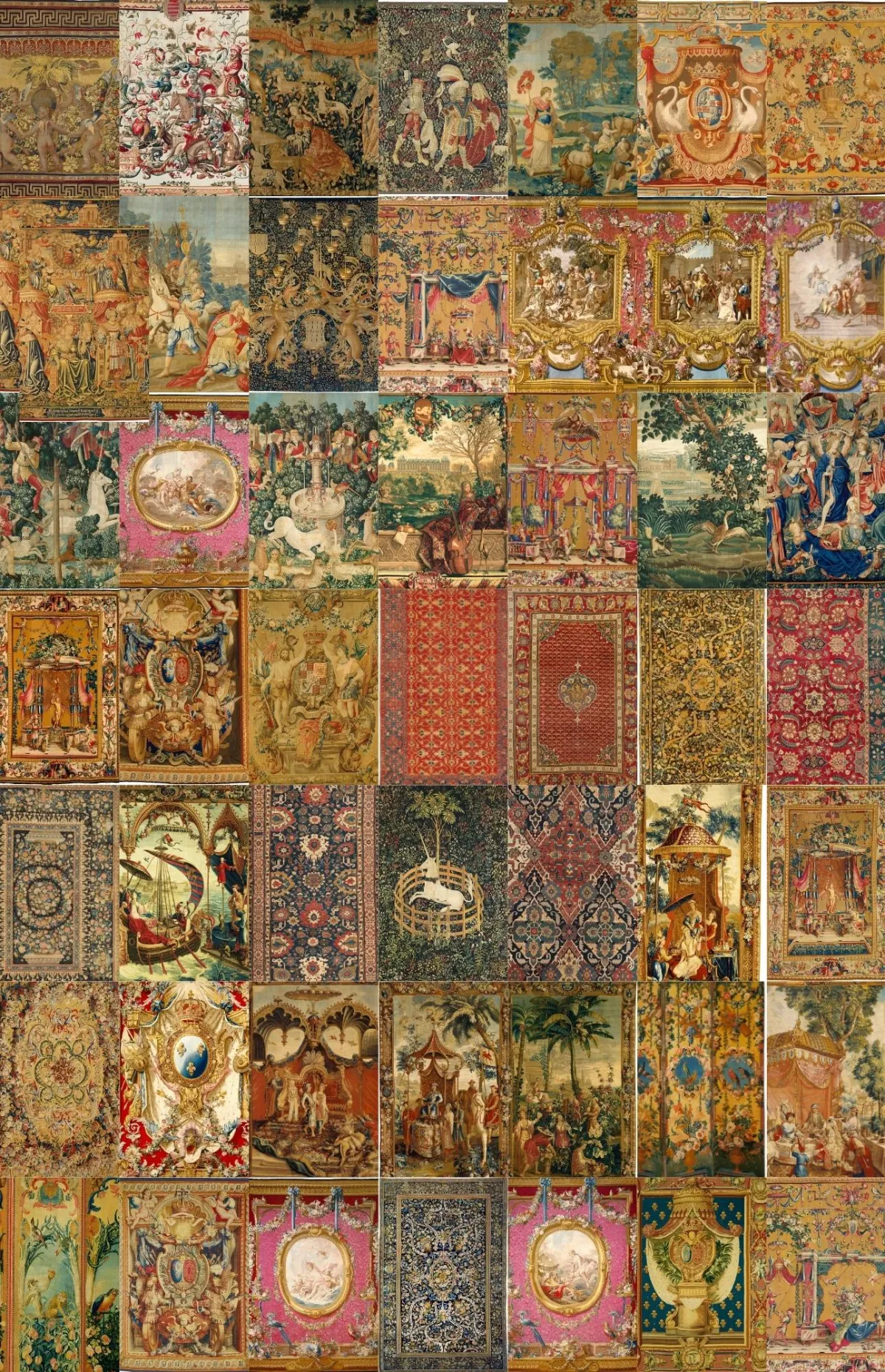
50 Tapestry
Backgrounds
"These are the exact digital backgrounds I use when creating fine art and painterly portraits for my own photography clients."
~ Alana Lee
INCLUDES 2 STEP-BY-STEP EDITING TUTORIALS FOR PHOTOSHOP AND EVOTO:
Learn how to integrate fine art backgrounds seamlessly into your workflow using simple, repeatable techniques.
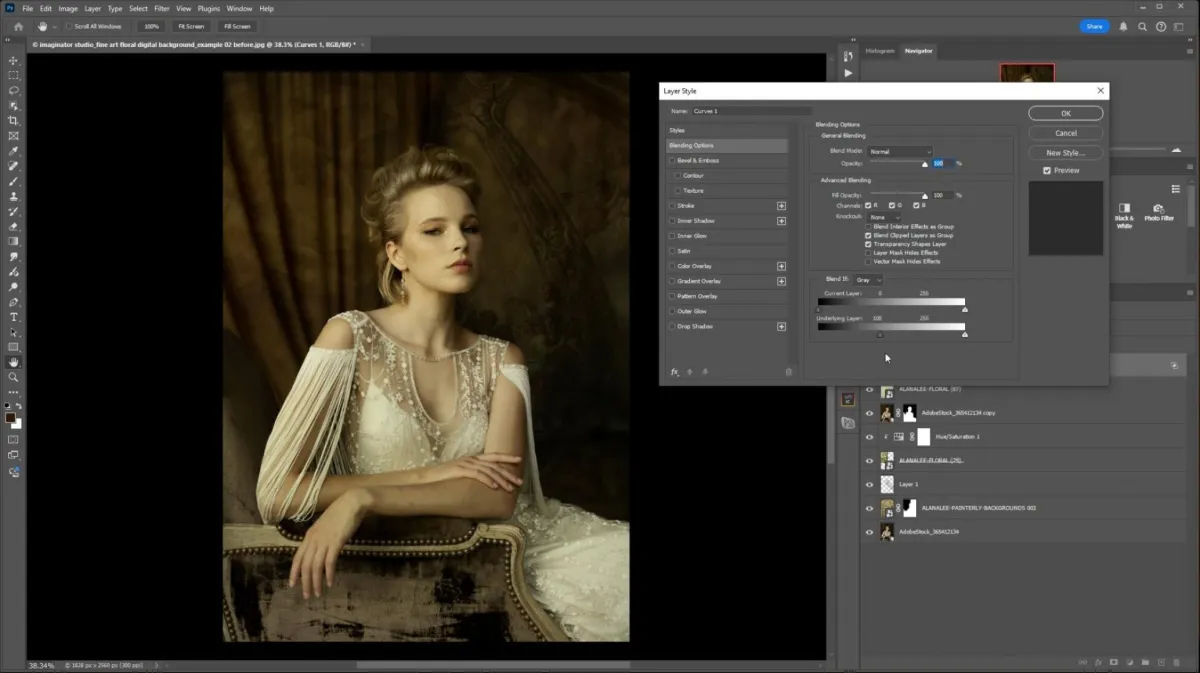
How to use digital backgrounds in Photoshop
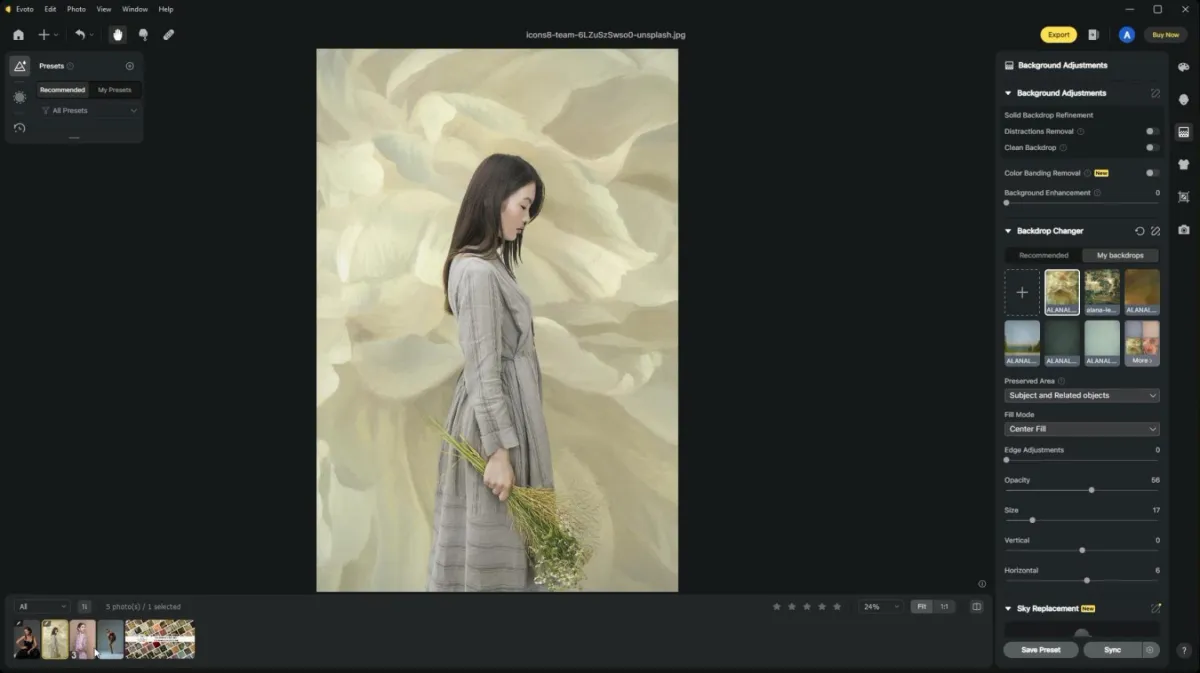
How to use digital backgrounds in Evoto
Digital backgrounds are essential for creating fine art portraits because they add depth, texture, and artistry to your images, making them truly stand out. High-quality backgrounds enhance your visual storytelling, elevate your portfolio, and allow you to create a distinctive style that draws in clients and sets your work apart from the rest.
Create Fine Art Portraits Without Physical Backdrops
Limited studio space, storage, or access to painted backdrops shouldn’t limit your creative vision. This collection allows you to create painterly, fine art portraits digitally - saving time, space, and money while expanding your artistic possibilities.
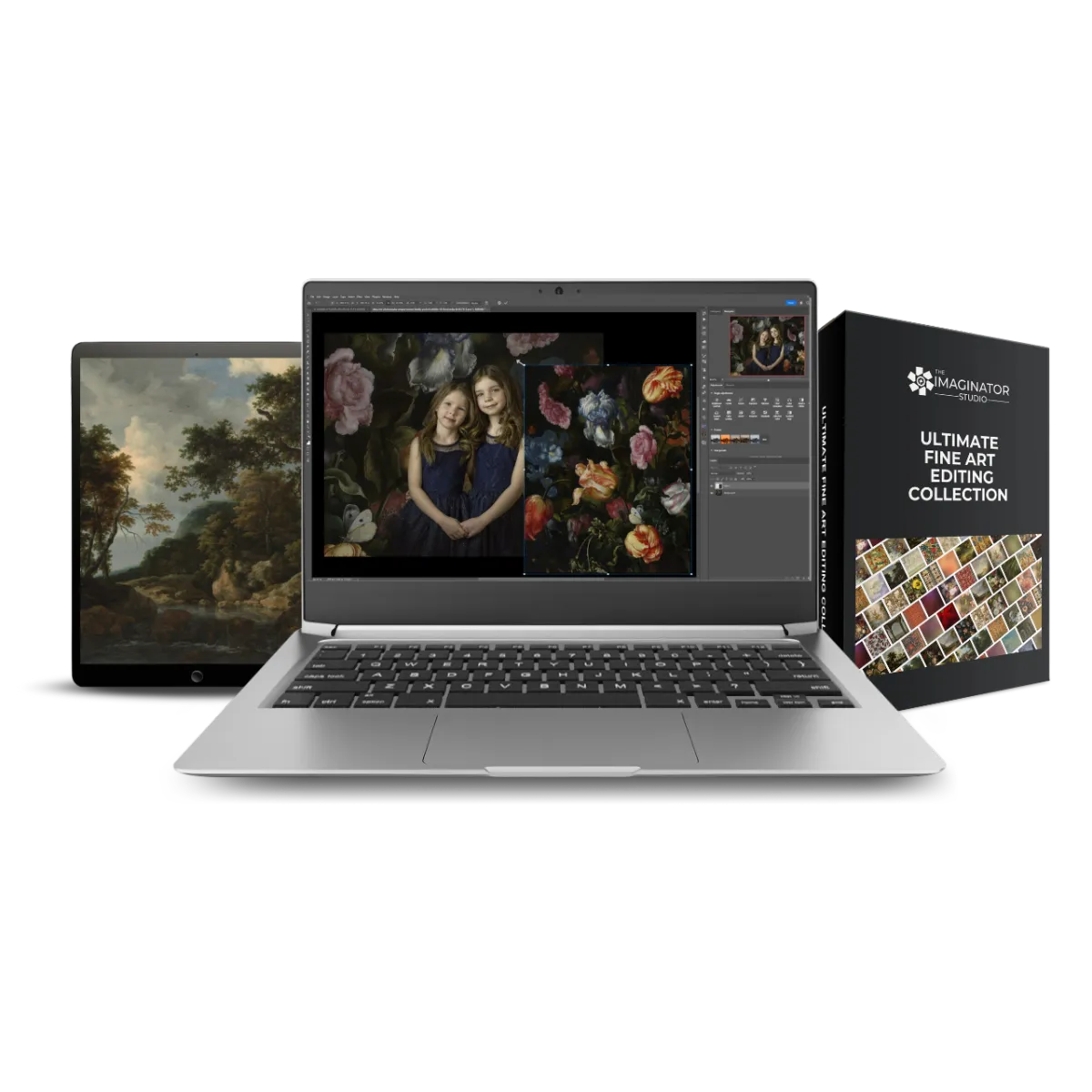
What’s Included in the Ultimate Fine Art Editing Collection:
Easily add digital backgrounds to your photography portraits. We've included how-to tutorials for both Photoshop and Evoto to help you get started.
100 old masters painterly digital backgrounds
100 floral inspired digital backgrounds
50 tapestry digital backgrounds
300 dpi, 6000 pixels on longest edge
Horizontal and vertical orientations
Video Tutorial: how to edit with digital backgrounds in Photoshop
Video Tutorial: how to edit with digital backgrounds in Evoto
Lifetime access
14 day money back guarantee
This is a digital product and will be delivered via email that will contain a link to access your digital backgrounds once payment is cleared; no physical product will be shipped.
Note: you will need editing software that allows layers and basic editing knowledge to use these digital backgrounds.
The digital backgrounds included in this collection are a mixture of images generated using AI technology & digital painting, as well as photographic images captured in camera, and historical public domain images curated for fine art photo editing.
Bonus: 60 Free Digital Studio Backdrops
Receive 60 additional classic studio-style digital backdrops free when you purchase the Ultimate Fine Art Editing Collection.
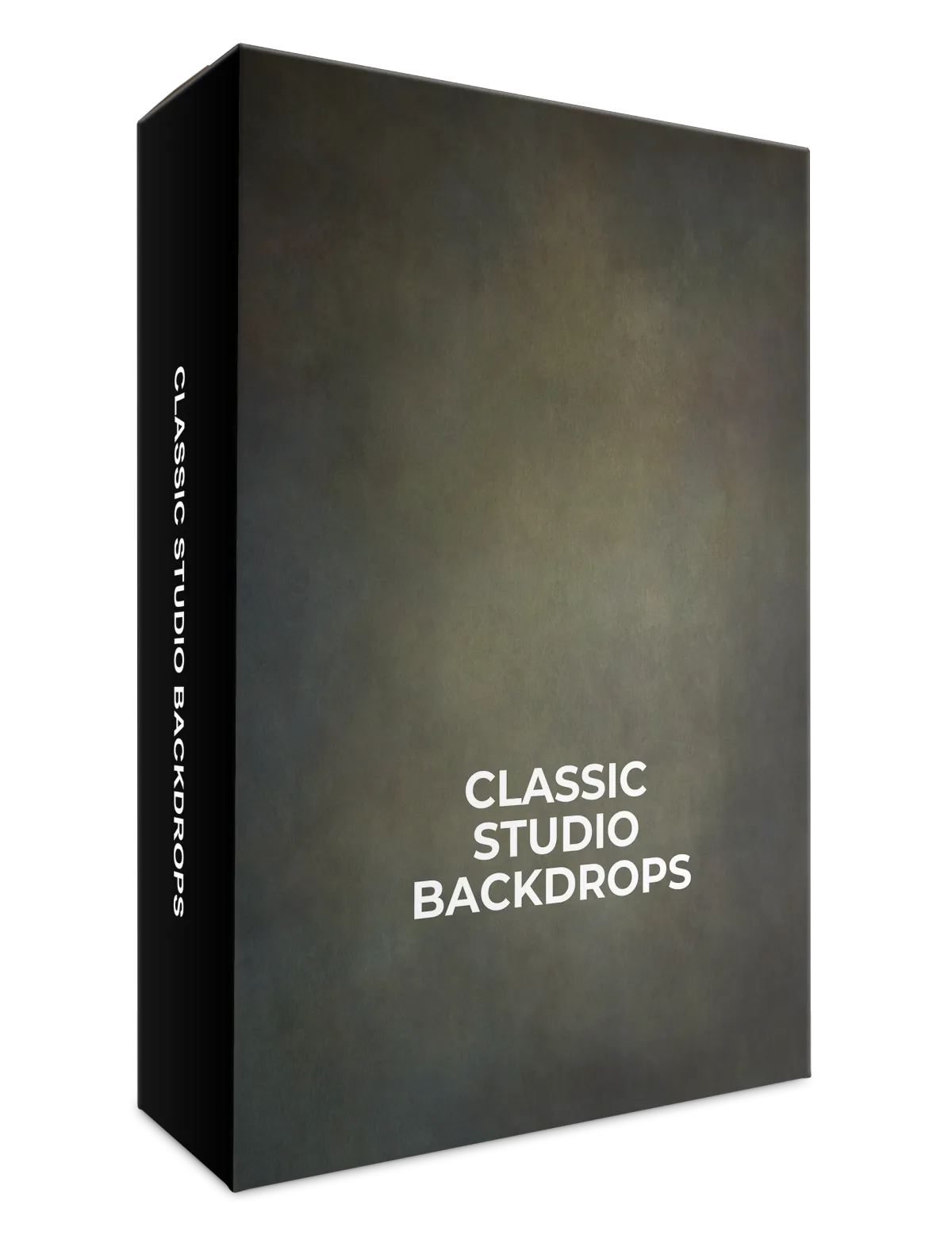
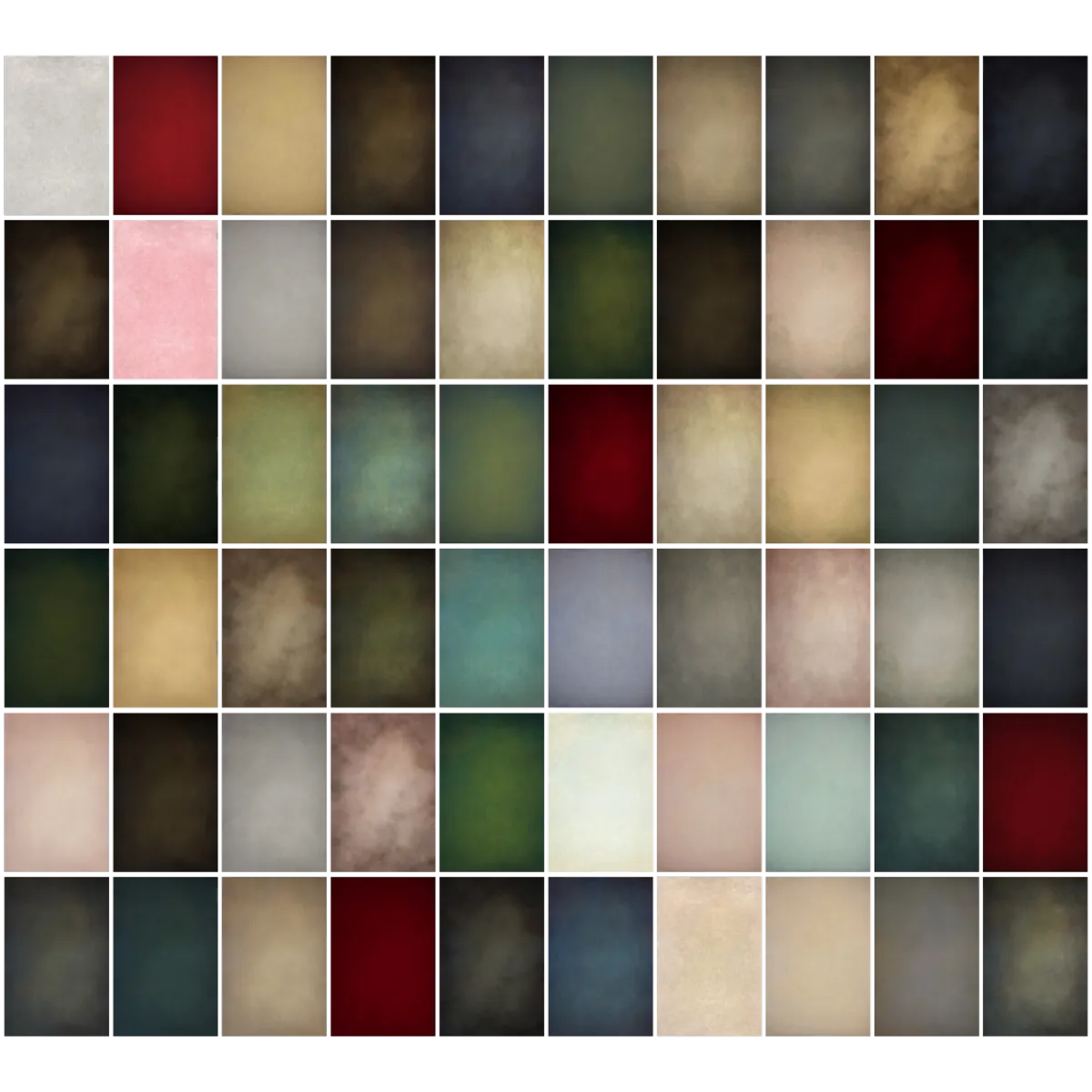
60 Free Digital Backdrops for Photoshop
Get 60 free photoshop backgrounds you can use for your personal or commercial projects, included when you purchase the Ultimate Fine Art Editing Collection today.

Meet the creator: Alana Lee
Hi there, I’m Alana! As a fine art photographer and digital artist, I know how powerful the right backgrounds can be in transforming a simple portrait into a painterly style work of art. Early in my career, I struggled to find high-quality backdrops that would enhance my images without the need for physical storage or setup. That’s why I started creating and curating my own library of high quality digital backgrounds that would work for the fine art portraits my clients want. Now I'm super excited to share my toolkit with other photographers: the Ultimate Fine Art Editing Collection.
I carefully curated this collection with the same attention to detail that I use in my own editing process. Whether you’re working on a personal project, building a fine art portfolio, or creating commissioned pieces, these backgrounds are designed to inspire creativity and help you achieve that classic, painterly look. I’m thrilled to share this collection with you and can’t wait to see how it enhances your work and brings your artistic vision to life!
Frequently Asked Questions
How long do I have access to the Ultimate Fine Art Editing Collection?
You’ll receive lifetime access to the Ultimate Fine Art Editing Collection, including any future updates or additions. We recommend downloading and backing up your files for easy access. If we ever decide to close the platform, you’ll be notified well in advance so you can archive your content.
Is this fine art background collection suitable for beginners?
Yes. This collection is beginner-friendly, even if you’re new to fine art editing. Step-by-step tutorials for both Photoshop and Evoto are included, showing you exactly how to use the backgrounds, apply masks, and achieve painterly results with confidence.
What software do I need to use these digital backgrounds?
You’ll need photo editing software that supports layers and basic masking. These fine art digital backgrounds work with Photoshop, Photoshop Elements, Evoto, Affinity Photo, and other compatible editing programs.
Are tutorials included with this collection?
Yes. You’ll receive two in-depth video tutorials: How to use fine art digital backgrounds in Photoshop and How to edit portraits using digital backgrounds in Evoto. These tutorials walk you through the same workflow used in professional fine art portrait editing. You can also learn more about how to edit with textures to create fine art images in our course: The Art Of Texture
Can I use these fine art backgrounds for client work?
Absolutely. You may use these digital backgrounds for both personal projects and client photography. This makes the collection ideal for fine art portrait photographers, studios, and creatives offering commissioned work.
What is the refund policy?
We offer a 14-day money-back guarantee. If the collection isn’t the right fit for your workflow, simply contact us within 14 days of purchase and we’ll issue a full refund.
Can I wait and purchase this collection later?
You can, but pricing and bonuses may change. If this collection is currently part of a special offer or includes bonuses, we recommend purchasing now to lock in the best value.
Start creating fine art style portraits using digital backgrounds right away with this instant digital download!


This site is not part of the Facebook/Instagram/Meta website or Meta Platforms Inc. Additionally, this site is not endorsed by Meta in any way. Facebook, Instagram and Meta are trademarked by Meta Platforms Inc.