
Painterly Fine Art Portraits in Photoshop (Old Masters Inspired)
“ Fine art photography is more than just capturing an image—it’s about crafting a masterpiece that evokes emotion, tells a story, and stands the test of time.” ~ Alana Lee
Fine art photography is about more than capturing a subject. It is about creating mood, depth, and visual storytelling that feels timeless. Many of today’s most compelling fine art portraits draw inspiration from the Old Masters, artists like Rembrandt, Vermeer, and Caravaggio, who used light, shadow, and texture to transform ordinary moments into enduring works of art.
This guide explores how photographers can create painterly fine art portraits using lighting techniques, digital backgrounds, and textures in Photoshop, while maintaining creative control and a professional workflow.
You will learn how classical painting techniques translate into modern fine art photography and how textures and painterly digital backgrounds play a critical role in achieving this aesthetic.
I have spent years refining my painterly editing techniques, integrating fine art textures, digital backgrounds, and strategic lighting effects to emulate the rich aesthetic of classical paintings. My dedication to this craft led to international recognition, and I was honored to be named among the Top 10 Fine Art Photographers in the world in the prestigious One Eyeland Fine Art Photography Awards. In this blog post I'll share how to create painterly fine art photographs.

Drawing Inspiration from the Old Masters
The Old Masters were masters of atmosphere and storytelling. Their work continues to influence fine art photographers because of its emotional depth and dramatic use of light.
Three foundational techniques appear repeatedly in classical paintings and translate beautifully into photography.
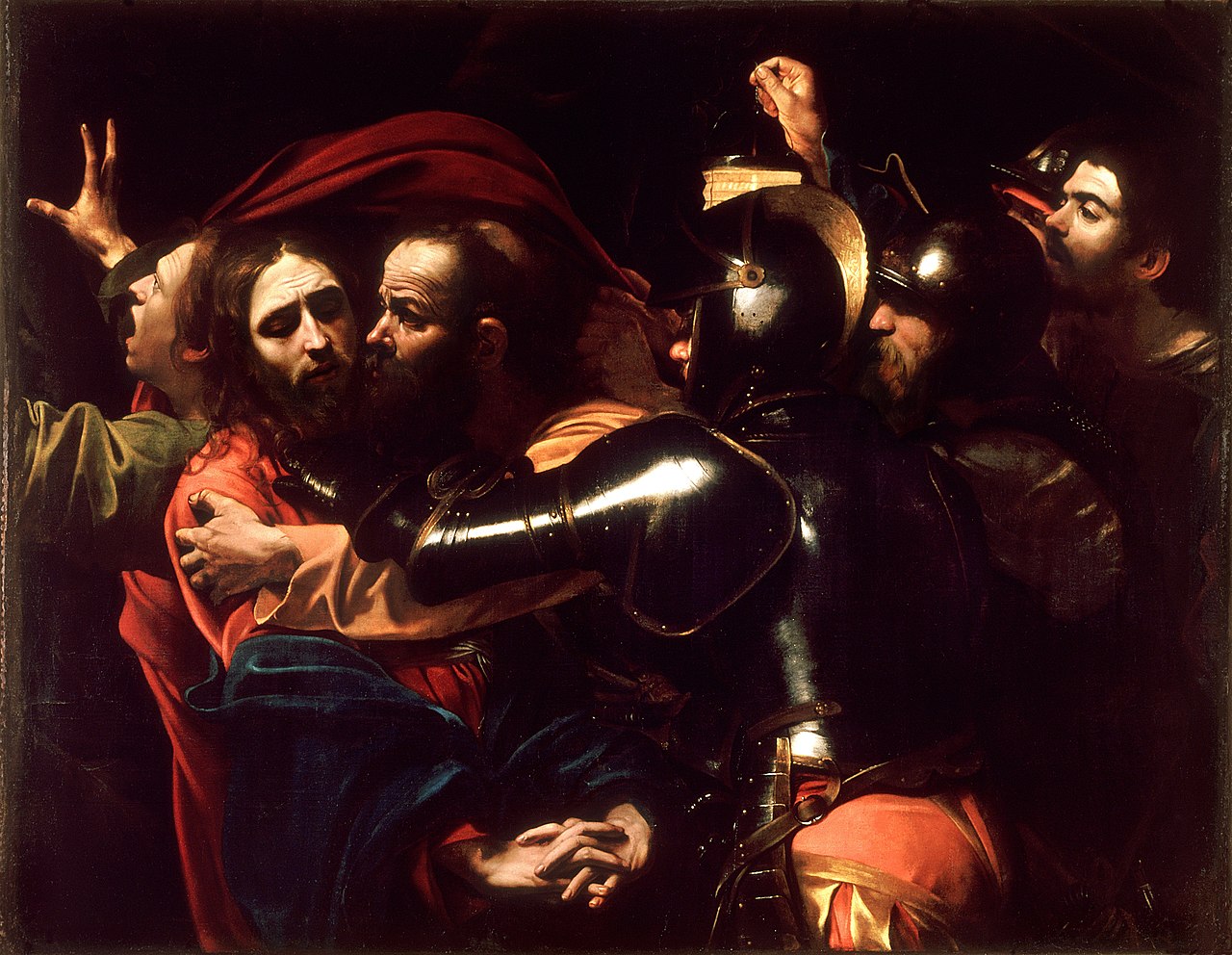
Chiaroscuro Lighting
Popularized by Caravaggio, this technique uses strong contrast between light and shadow to create a sculptural, three-dimensional effect. It works especially well for dramatic fine art portraits.
Example: Caravaggio - The Taking of Christ
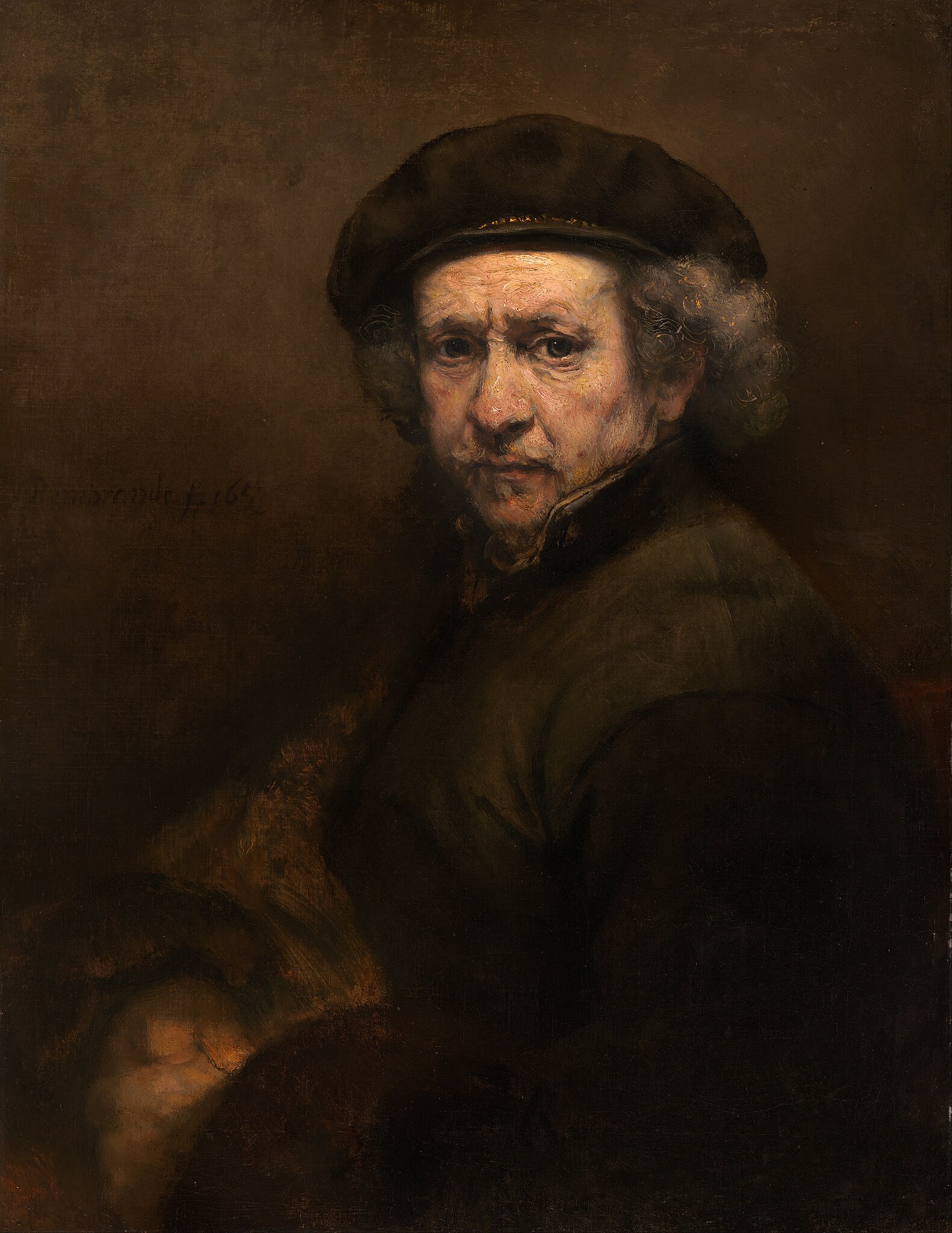
Rembrandt Lighting
A softer evolution of chiaroscuro, Rembrandt lighting creates a small triangle of light on the cheek opposite the light source. This approach adds drama while maintaining elegance and softness.
Example: Rembrandt van Rijn - Self-Portrait
Soft Painterly Lighting
Used extensively by Vermeer, this style relies on diffused window light or a single soft source to produce gentle shadows and luminous skin tones.
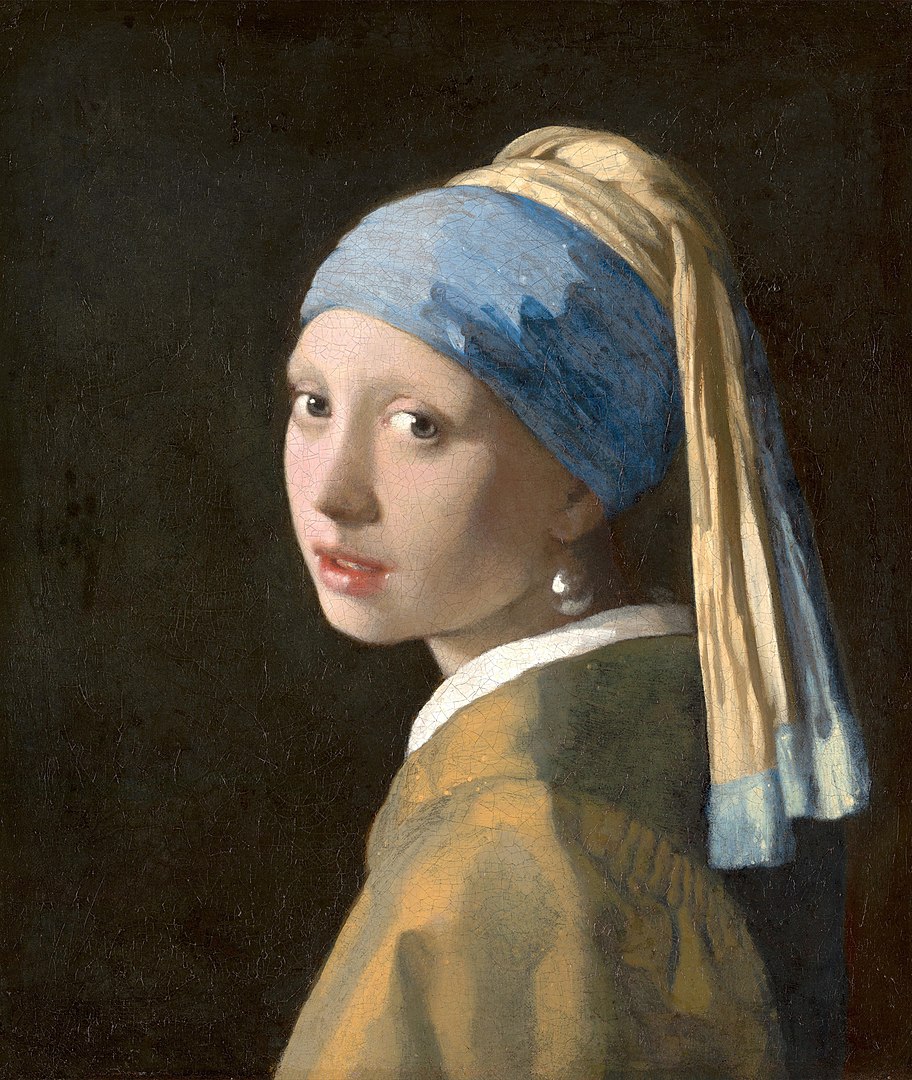
Photographers can replicate these effects using a single window, a softbox at a forty-five degree angle, or carefully controlled studio lighting.
Applying Old Masters Techniques to Photography
To bring painterly qualities into your portraits, focus on these elements during capture and editing:
Study classical compositions and negative space
Use muted, earthy color palettes
Shape light intentionally rather than evenly
Allow shadows to remain expressive, not flat
These choices set the foundation for painterly editing later in Photoshop.
Creating a Painterly Look with Digital Backgrounds and Textures
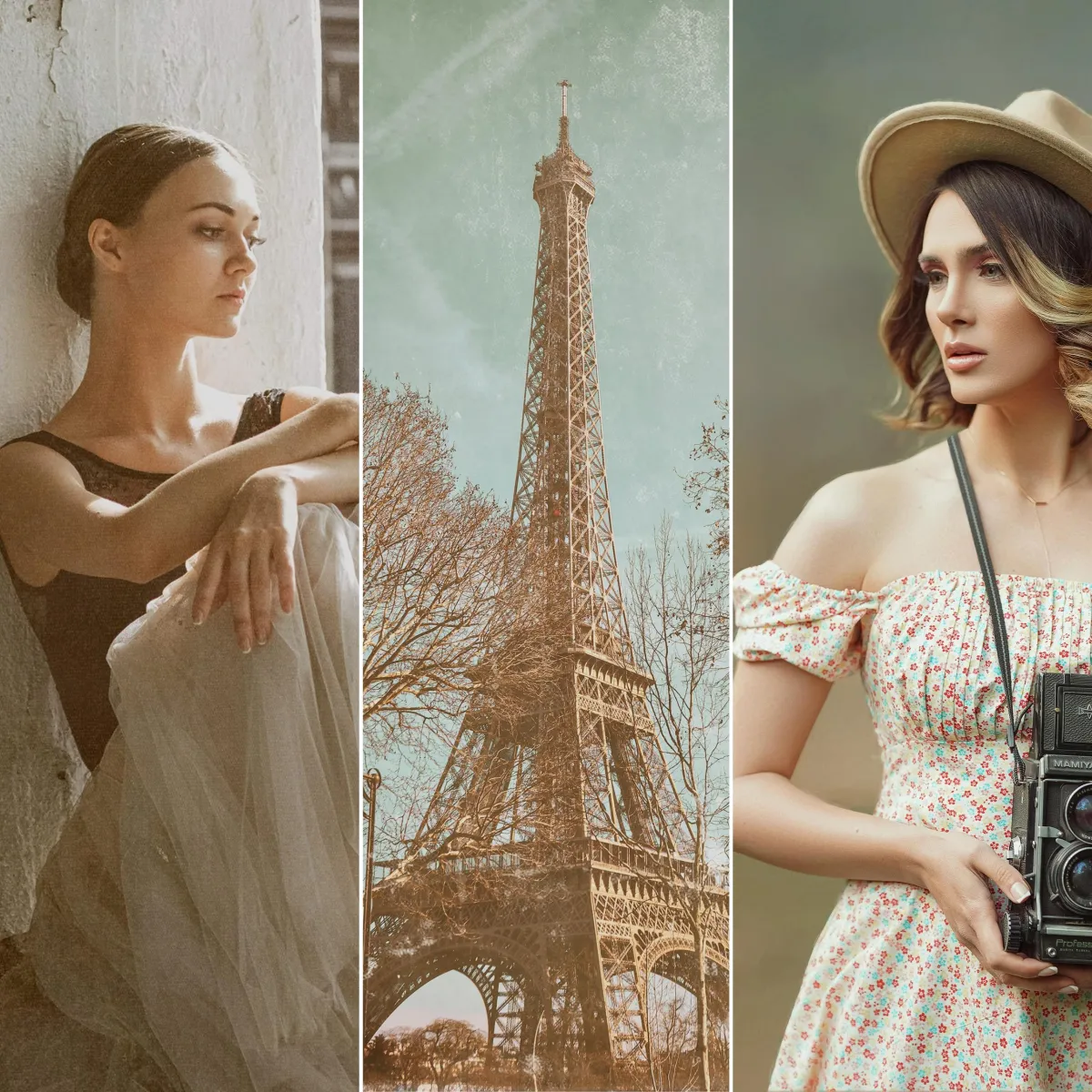
Traditional painted backdrops are beautiful but impractical for many photographers. Digital backgrounds and fine art textures provide a flexible, space-efficient alternative that still delivers a handcrafted, painterly look.
Many award-winning fine art photographers rely on digital backgrounds to:
Create depth and separation without distractions
Introduce subtle painterly brushwork
Control color harmony and atmosphere
Maintain consistency across a fine art body of work
If you want an all-in-one toolkit designed specifically for this style, the Ultimate Fine Art Editing Collection includes painterly backgrounds, Old Masters inspired backdrops, tapestry textures, and fine art overlays created for Photoshop workflows.

How Textures Add Depth to Fine Art Portraits
Textures are a foundational tool in fine art photography, adding depth, atmosphere, and visual cohesion to an image. If you want a broader understanding of how textures are used across portrait, fine art, and creative photography, see our complete guide to textures for photography.
Textures are what give painterly portraits their tactile quality. When used subtly, they enhance realism and emotion without overpowering the subject.
Textures help to:
Soften transitions between subject and background
Mimic canvas, paper, or oil paint surfaces
Unify shadows and highlights
Add visual richness and age
Canvas textures, aged paper overlays, and soft grain are especially effective for fine art portraiture.
For a deeper understanding of how textures work across genres, link this post to the main Textures for Photography resource page.
Types of Textures and Digital Backgrounds for Fine Art Portraits
Not all textures produce the same result. Fine art editing benefits from restraint and intentional choices.
Painterly digital backgrounds provide subtle hand-painted depth
Tapestry and fabric textures evoke Renaissance influence
Soft canvas overlays replicate oil painting surfaces
Dark, moody textures enhance chiaroscuro lighting
These elements should support the subject, not compete with it.
To add atmosphere, depth, or painterly effects to your portraits, the Creative Photography Overlays Collection offers a variety of artistic elements you can blend into your images.
These techniques are part of a larger texture-based editing approach used by photographers working across multiple genres, which is explored in detail in our photography textures resource guide.
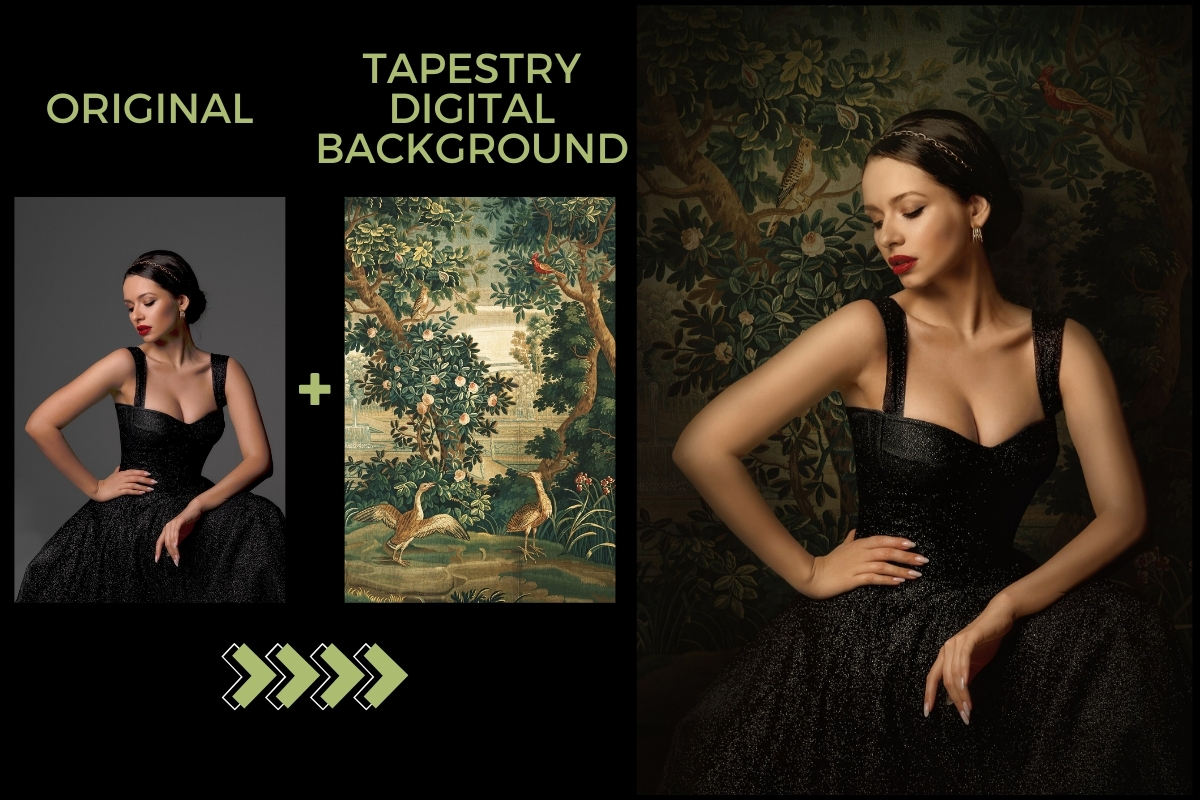
Utilizing Tapestries as Digital Backgrounds
Tapestries, with their intricate designs and historical significance, offer unique backgrounds that can infuse photographs with a sense of grandeur and timelessness. By incorporating high-resolution images of tapestries as digital backgrounds, photographers can add a rich, textured backdrop that complements the subject.
Example:
Step-by-Step Painterly Editing Workflow in Photoshop
Step 1: Capture the Right Base Image
Use directional light and a simple backdrop to preserve clean edges.
Step 2: Apply a Painterly Digital Background
Place the background beneath the subject and refine edges using masks.
Step 3: Blend for Realism
Adjust color balance, opacity, and transitions so the background feels integrated.
Step 4: Add Fine Art Textures
Apply canvas or painterly textures using Soft Light, Overlay, or Multiply blend modes.
Step 5: Final Color Grading
Use Curves and Selective Color to emphasize warmth and depth.
Case Study: Award-Winning Painterly Portrait
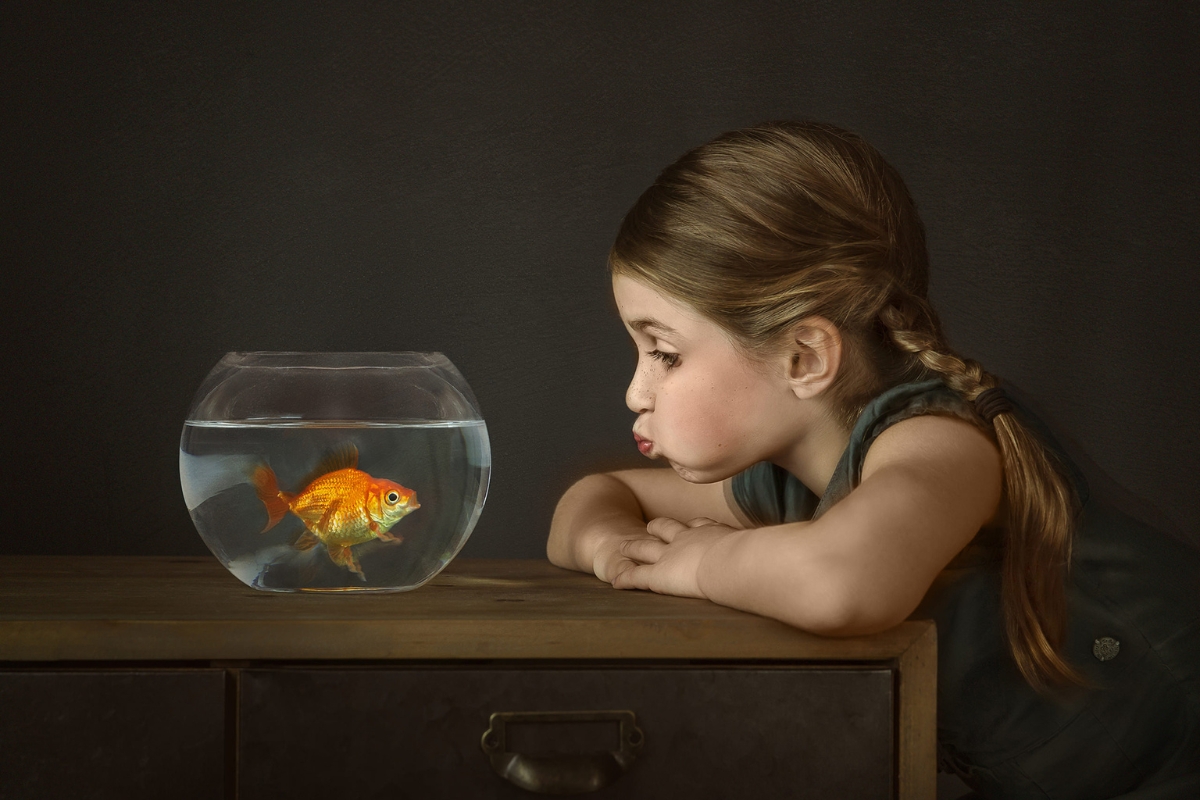
One of the most recognized images in my portfolio, "Gus the Goldfish", demonstrates how painterly techniques elevate storytelling. In this portrait, soft directional light, a painterly digital background, and layered textures work together to create a timeless, emotive result inspired by classical oil paintings.
This approach earned international recognition and illustrates how thoughtful editing choices transform portraits into fine art.
Start Creating Painterly Fine Art Portraits
Whether you are refining your fine art style or exploring painterly editing for the first time, digital backgrounds and textures offer creative freedom without physical limitations.
To continue learning and building your toolkit:
Explore the Ultimate Fine Art Editing Collection
Learn advanced techniques in The Art of Texture course
Download free textures from the Photography Freebie Vault
Fine art photography is about craftsmanship, patience, and storytelling. With the right tools and techniques, you can create portraits that feel timeless and deeply expressive.